Hiding donation products
Lift creates products in your store catalgoue in order to facilitate customer donations. If you do not wish for customers to interact with these donation products there are a couple of ways you can go about hiding them from view.
Hiding donation products from your "Default collection"
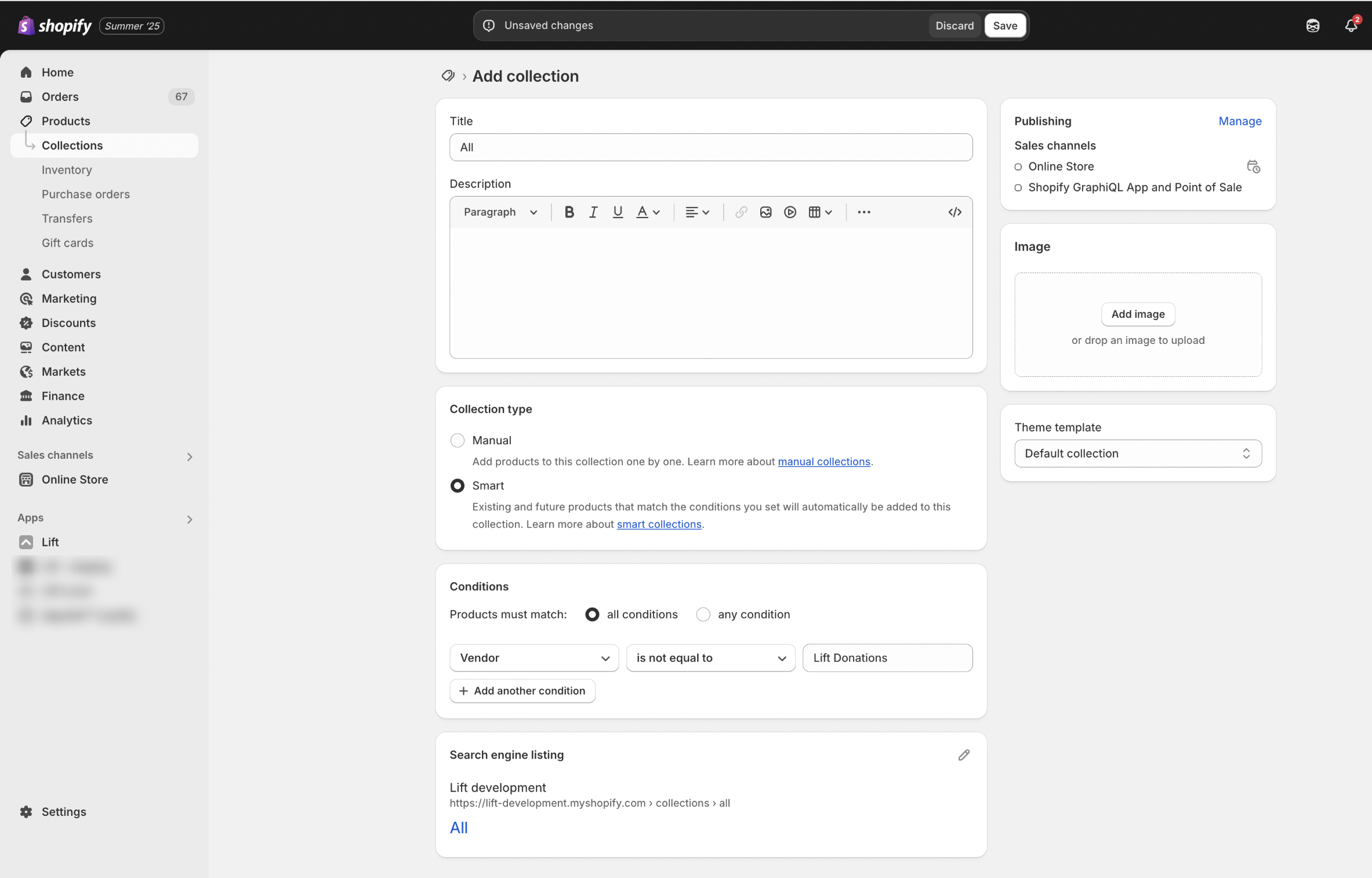
On Shopify your Default collection is usually accessed with the url /collections/all. Follow these steps to create a "Default collection" to override the existing /collections/all url in your store and add a rule to exclude your donation products.
- From your Shopify admin navigate to Products > Collections and select the "Add collection" button.
- Set the title to "All".
- Under Collection type choose "Smart".
- Next add a condition with the parameters: Vendor - is not equal to - "Lift Donations"
Hiding donation products from store search and search engines
Although it is unlikely that your customers will search for your donation products, if you would like to hide them from search and search engines follow these steps:
- From your Shopify admin go to Settings > Metafields and Meta Objects > Products
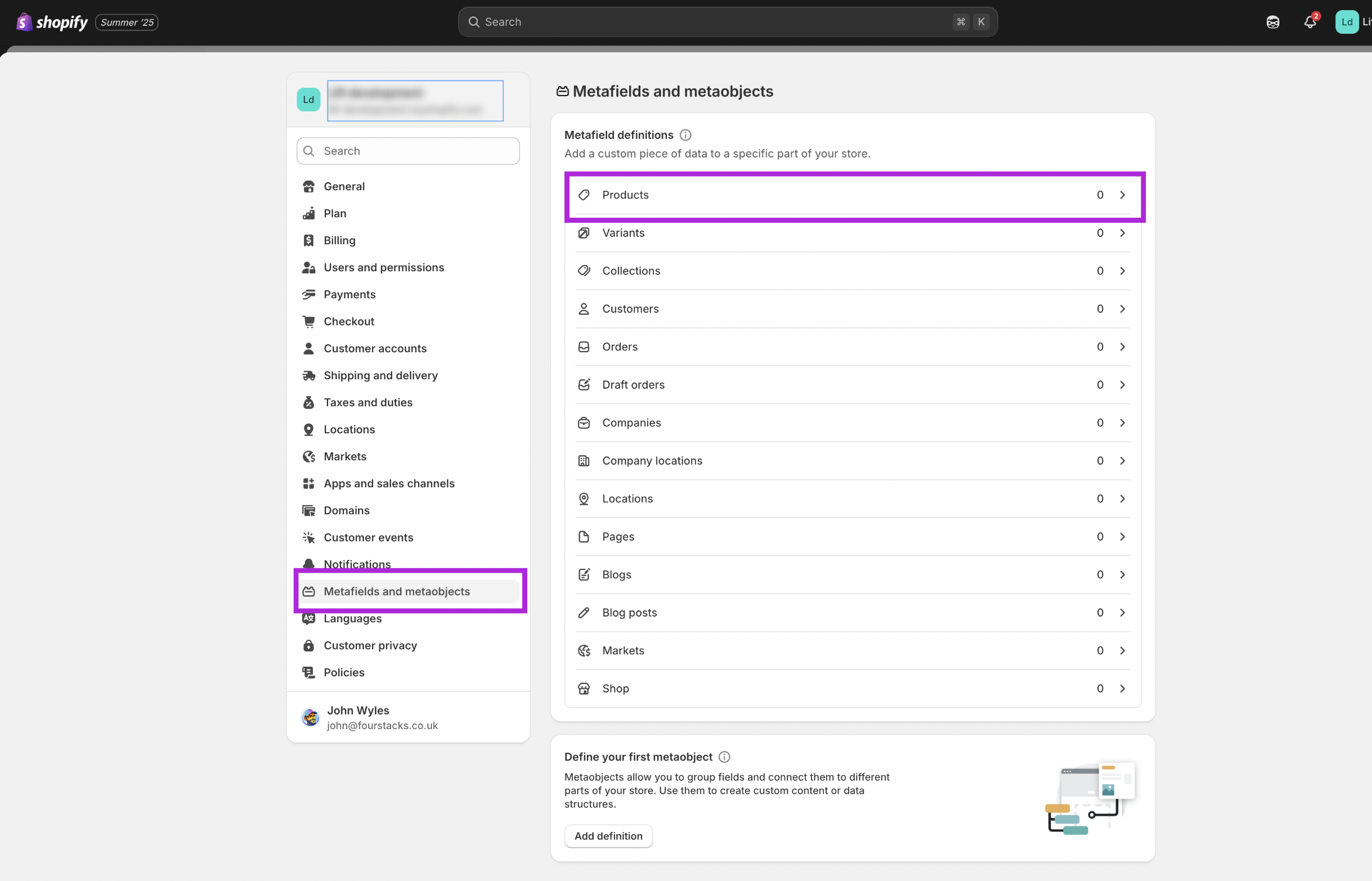
- Add a new metafield definition. Set the name to "Hide Product" and the namespace and key to
seo.hidden. The type should be "Integer":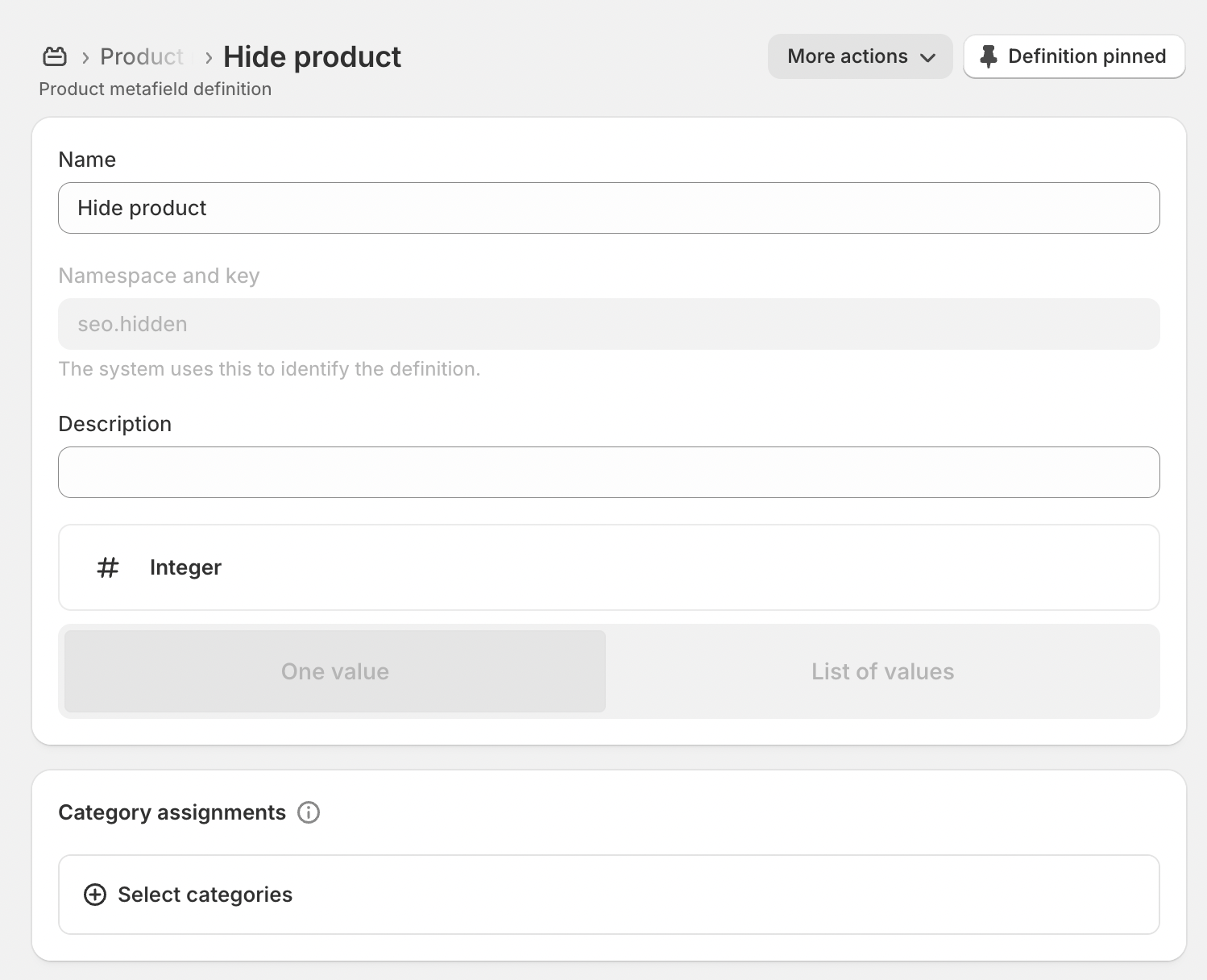
- Navigate to the donation product you wish to hide. Scroll down towards the bottom of the page until you reach the section titled "metafields":
- Set the value in the Hide from SEO field to
0and save the product: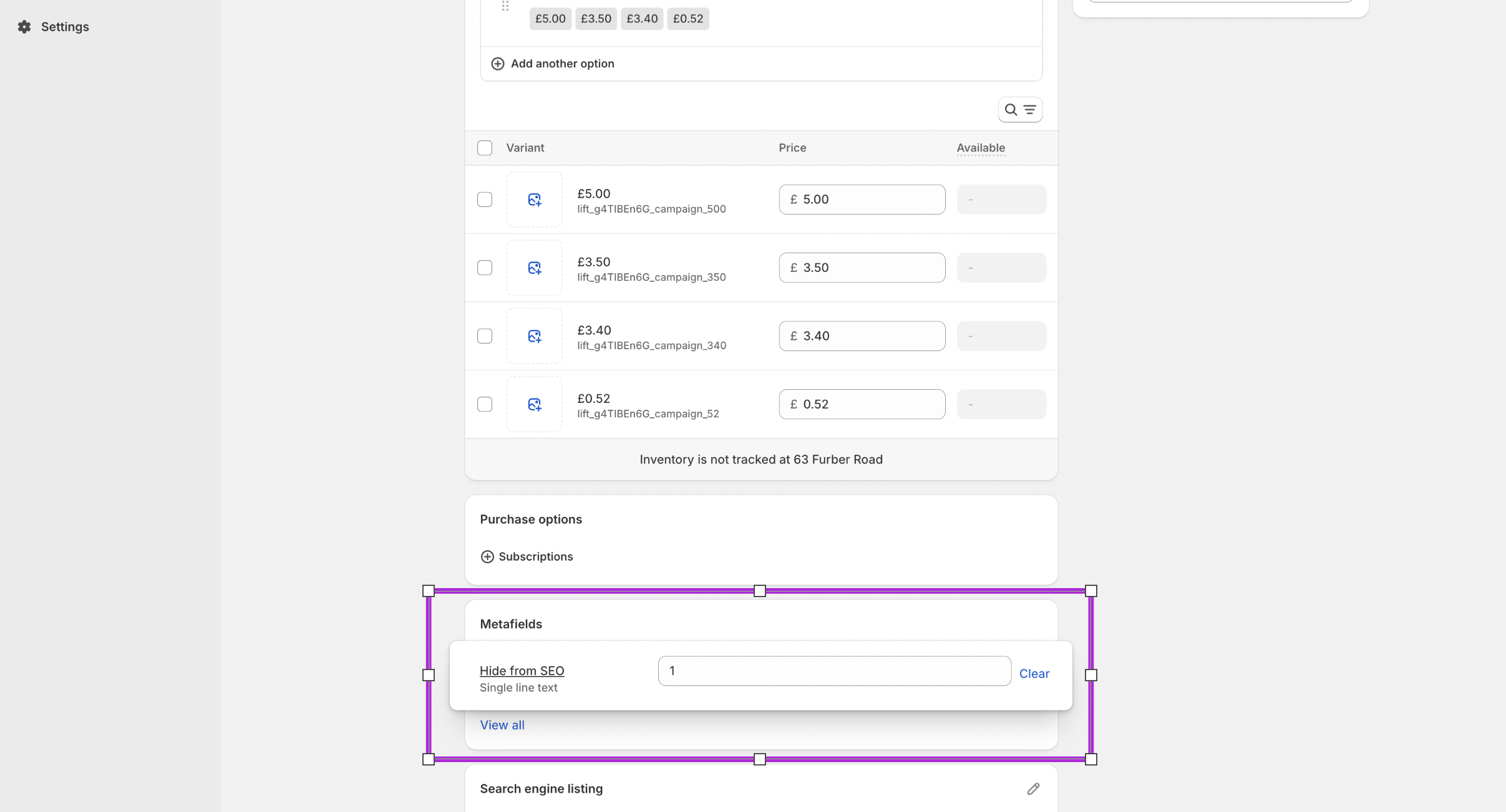 Your product should now be hidden from search engines and the site search.